I am not going to go through all the process of creating the
blockchain instances and I am going to focus on the process of
creating the HLF network, pariring the participant instance
with the founder organization network.
The process of creation OBC instances it is well explained in the
documentation.
There are two types of OABCS instances you can provision:
Founder organization: a complete blockchain environment,
including a new network to which participants can join later on.
Participant instance: if there is already a founder organization you
want to join, you can create a participant instance if your
credentials provide you with access to the network.
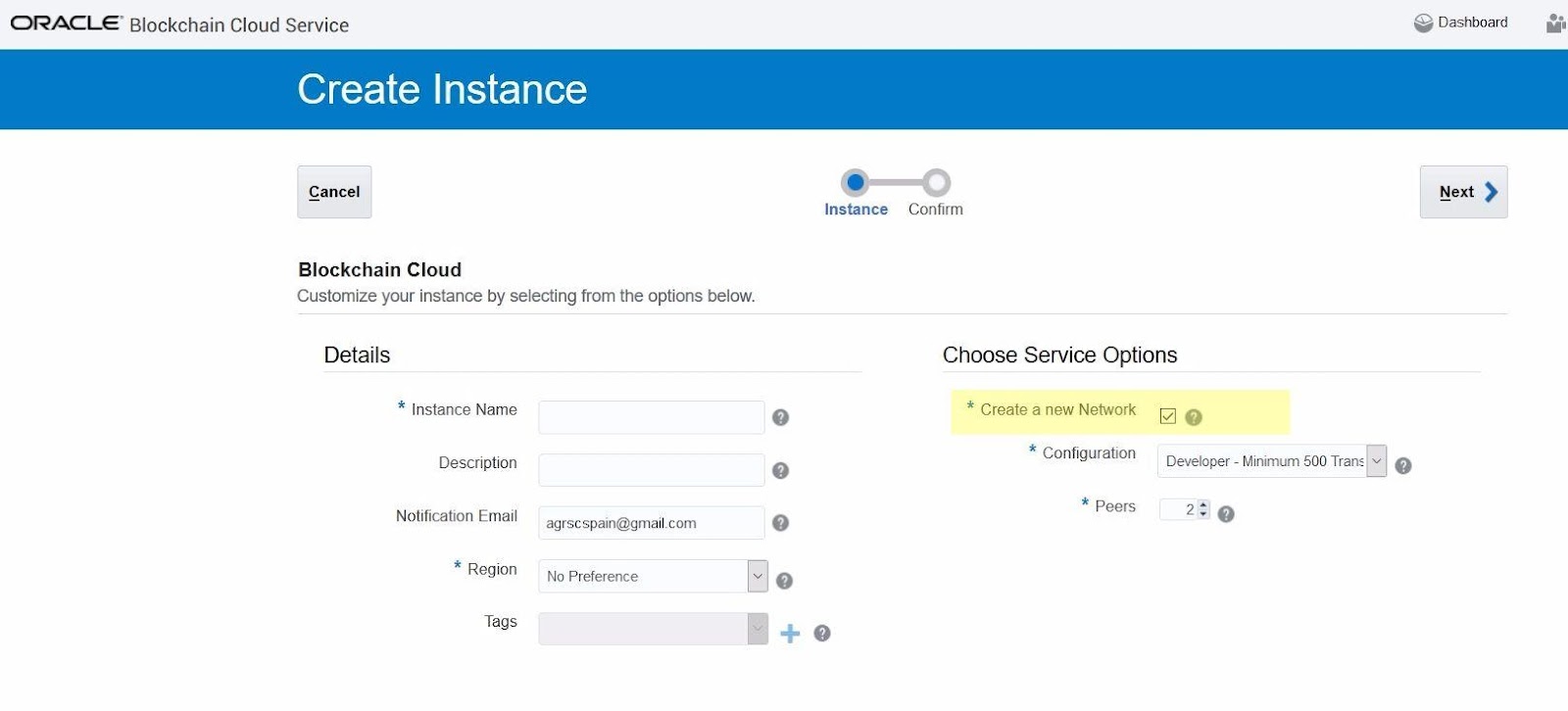
On creating the Founder you will need the “Create a new Network”
checked.
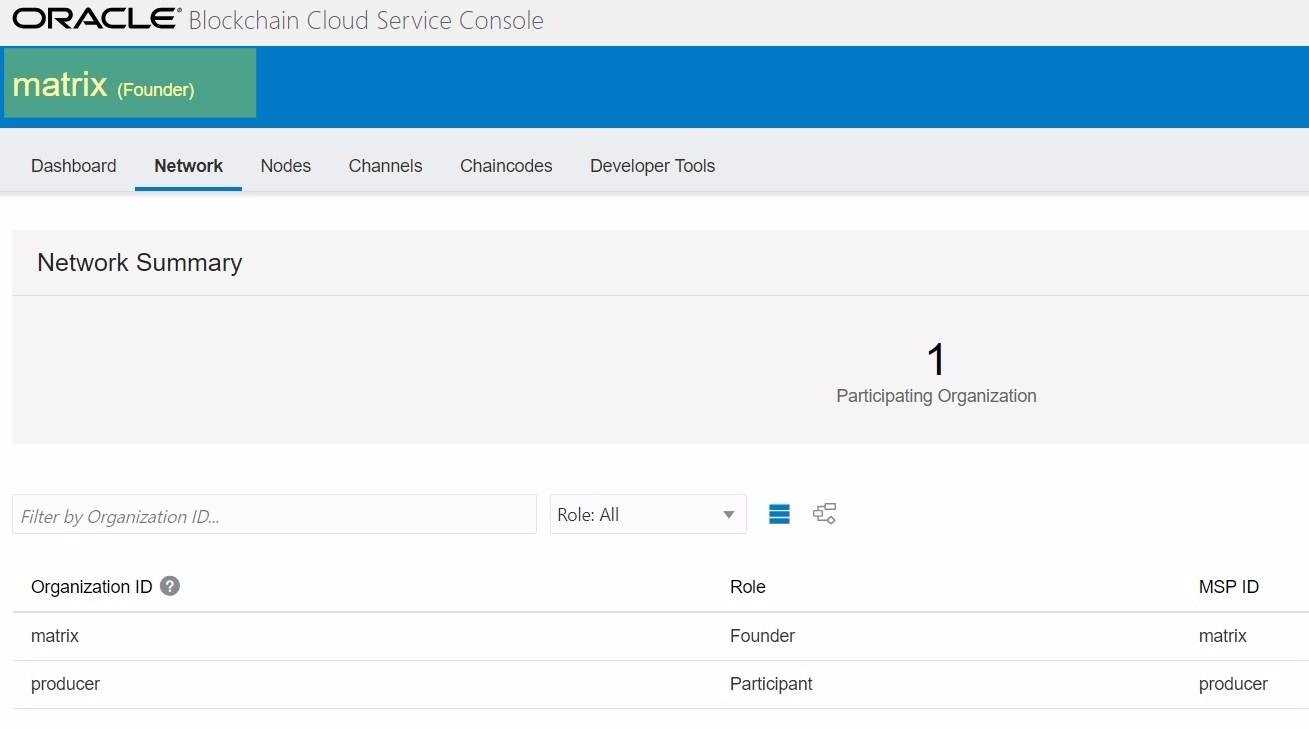
The network has been created with two instances: the "matrix" as a founder and the "producer" as a provider. Let's open the two instances consoles from the hamburger at the right hand side
Add OBCS Instance as a Network Participant
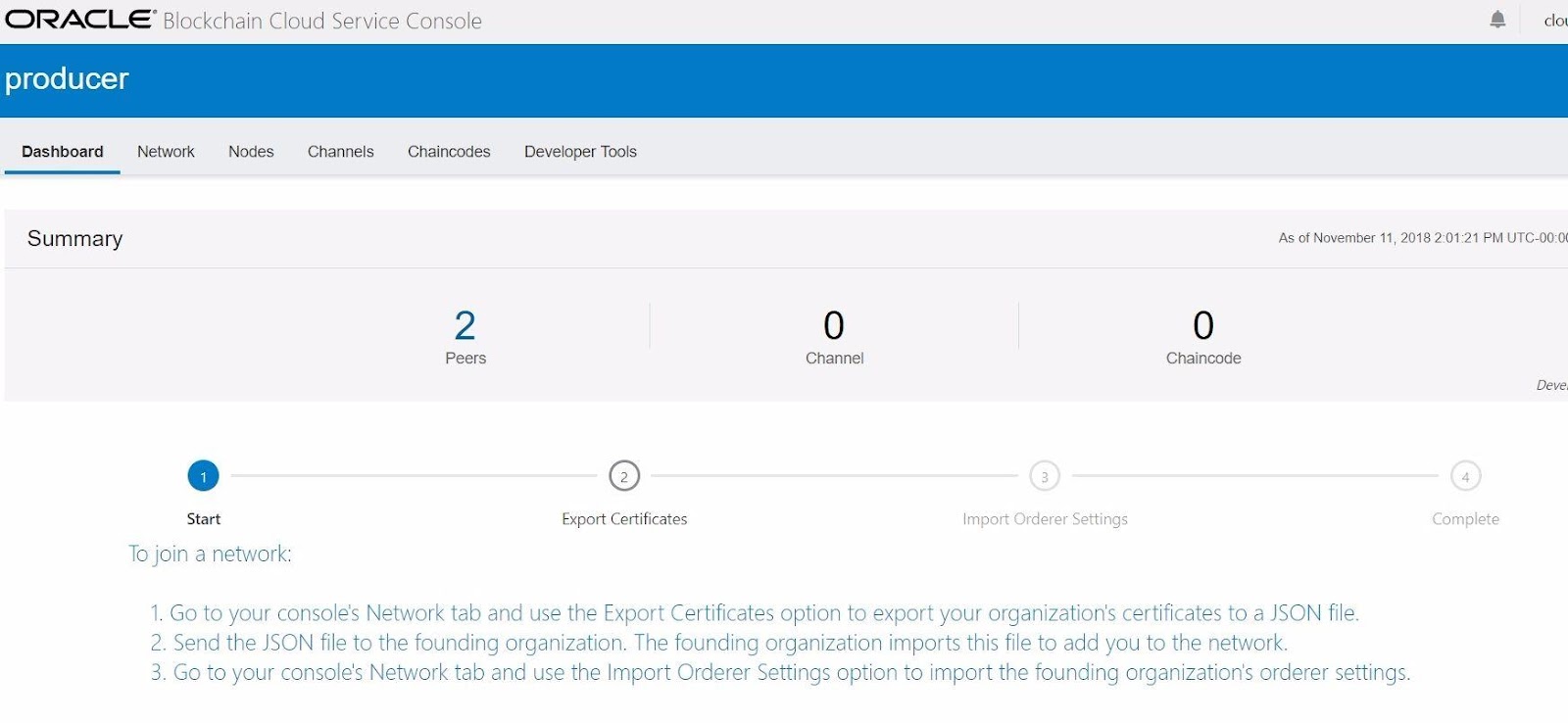
When you get into the "producer" instance it propose you to join to an already existing network.
Here are the screenshots. It is self explained through the UI. I will just annotate to which instance belongs the UI.
Step 1.1. Producer Instance
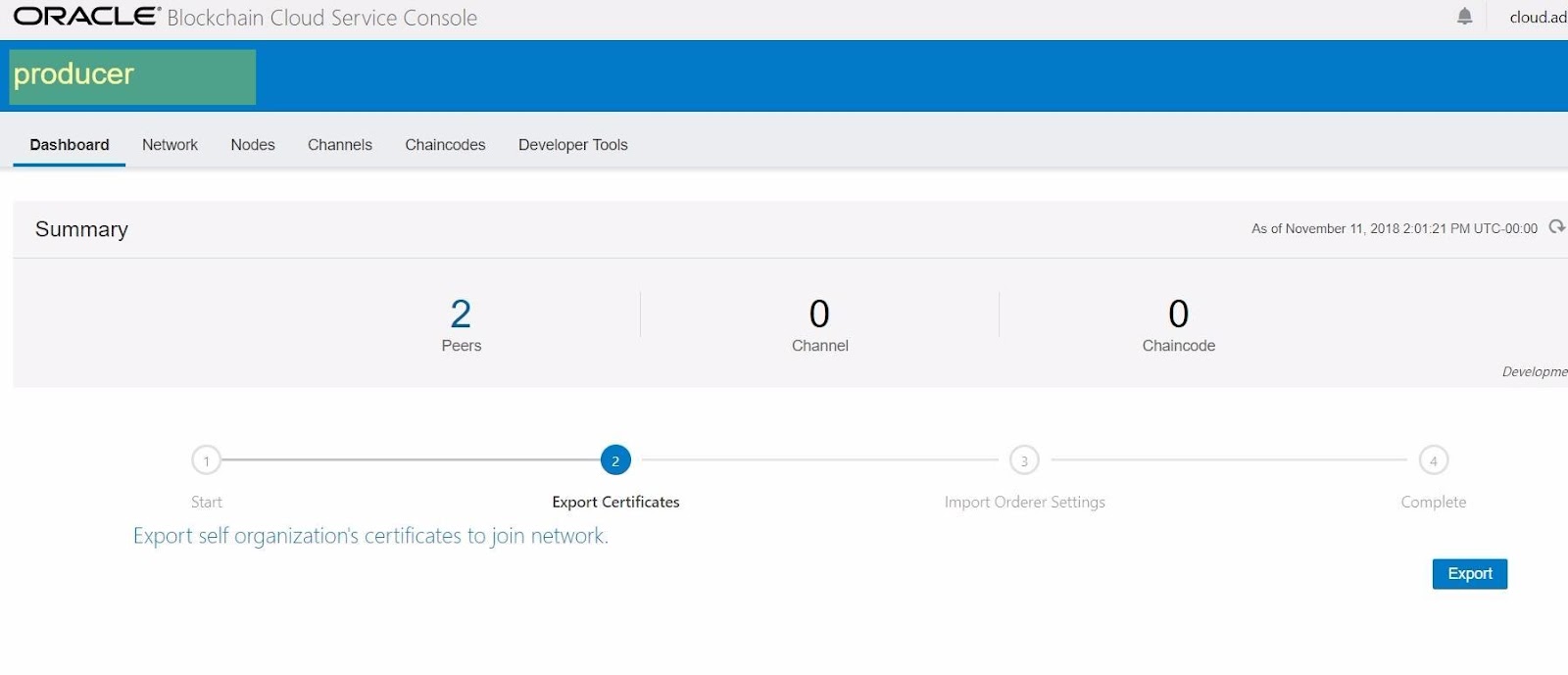
Step 1.2. "Producer" Instance. Export Certificate.
Step 1.3.1. Founder. Add Organization.
Step 1.3.2. Founder. Add "Producer" Instance Certification
Step 1.3.3. Founder. Add Organization successfully completed
Step 1.3.4. Founder. Organization added to the founder network.
Step 1.4.1. Founder. Export Order Settings.
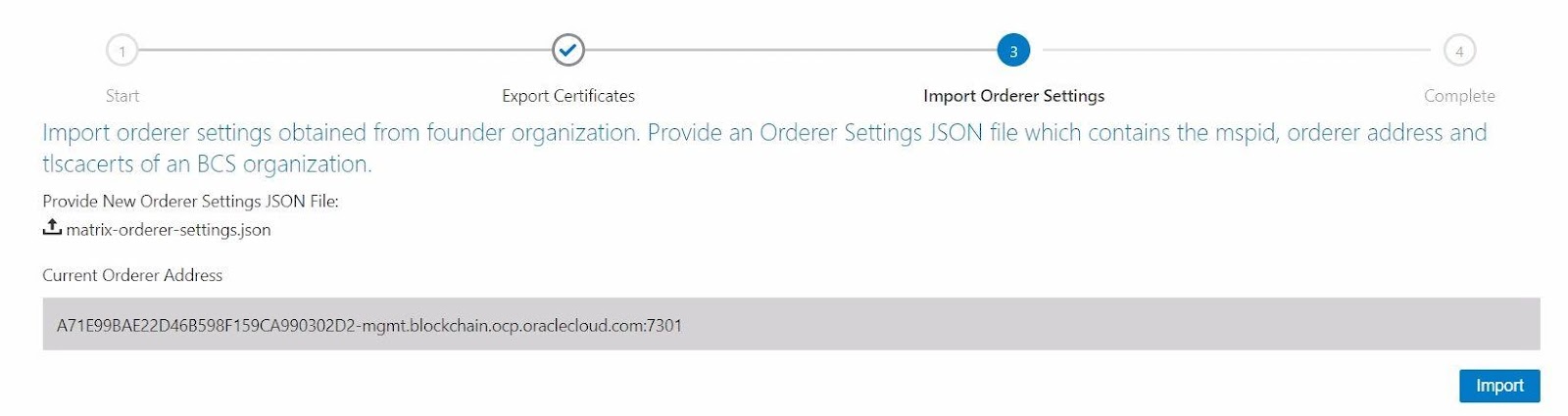
Step 1.4.2."Producer" Instance. Import founder orderer settings.
Step 1.4.2."Producer" Instance. Successfully imported founder orderer settings.
Step 1.5. "Producer" Instance is now a participant in the Parent blockchain network
Create a new channel
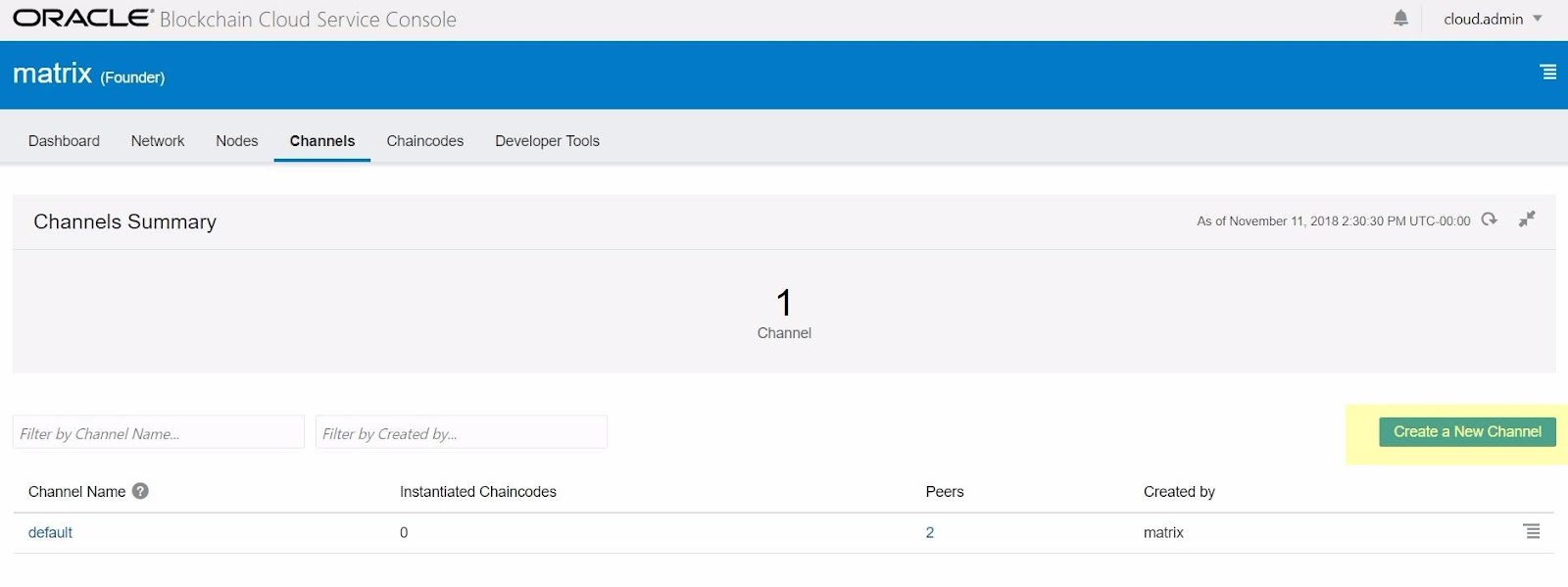
Step 2.1. Founder. Create a new channel.
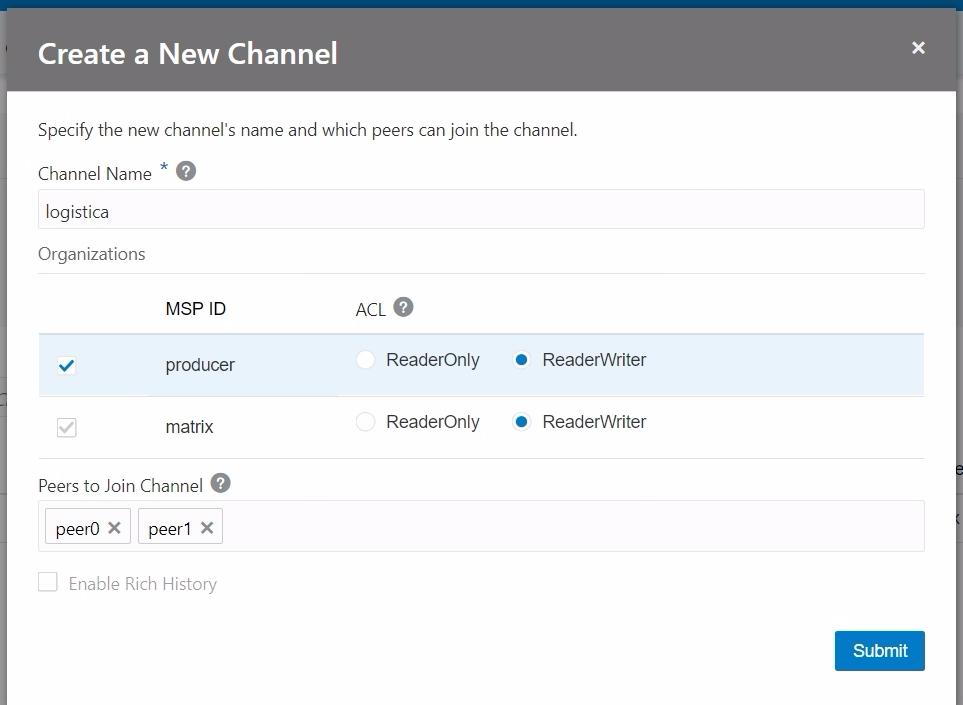
Step 2.2. Founder Instance. Details on creating a new channel "logistica".
Step 2.2. Founder Instance. Channel "logistica" created with two founder peers participating in the channel.
Step 2.3. "producer" Instance is part of the channel "logistica" but still any peer has been added.
Step 2.4. Add "producer" Instance's peers to the channel "logistica"
Step 2.5. Choose the "producer" Instance's peers to add
Step 2.5. "producer" Instance's peers already added